 Project Timeline
Online Gantt chart and project timeline maker
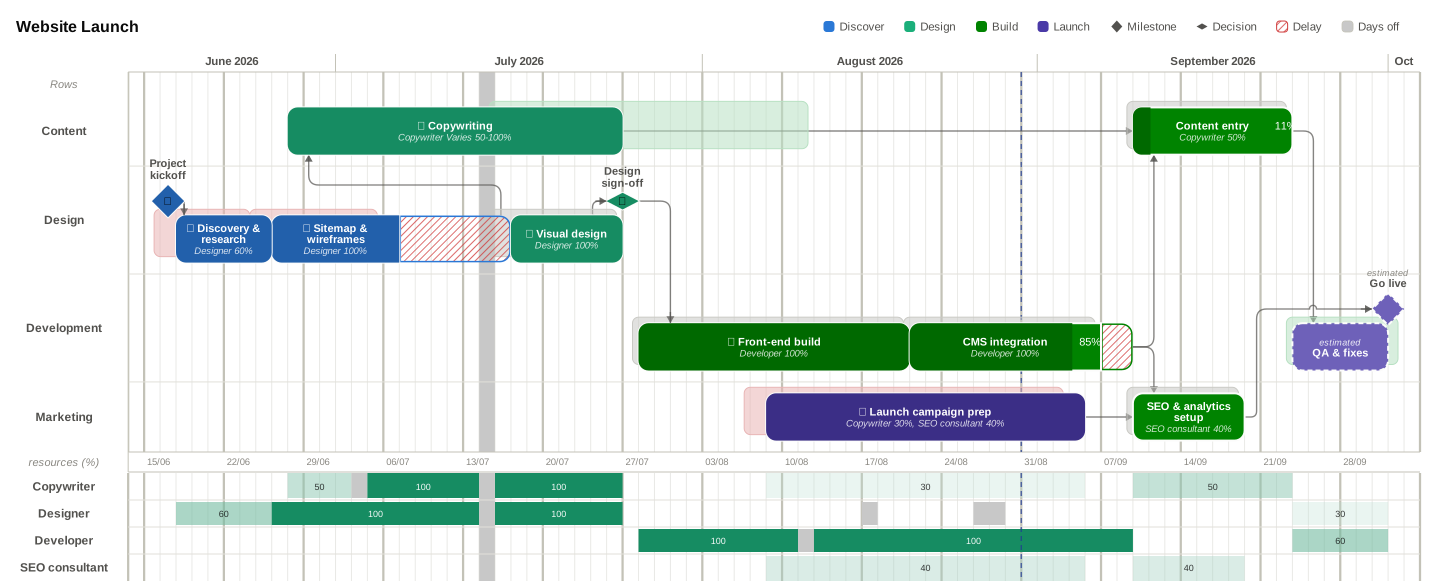
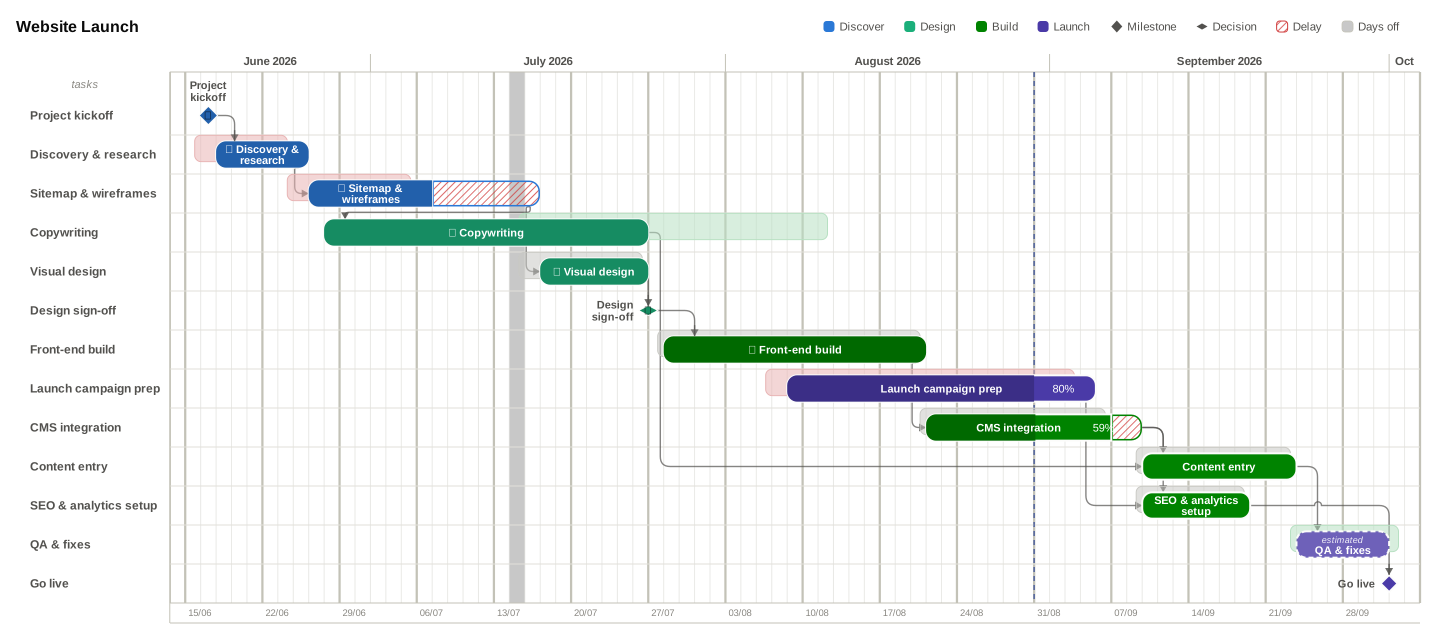
Plan tasks, milestones and dependencies on a consolidated timeline view or toggle to a traditional Gantt chart — then export pixel perfect visuals for your presentations.
Powerful project management features in a simple user interface.
Describe the change. The plan updates.
No dialogs, no dragging. Tell Timeline AI what you need and it rewrites the schedule for you — then answers questions about the plan it just built. Every change is one undo away.
Company resources
Add your people, their roles and day rates once — they are saved to your account and ready to assign in every project after that. No re-typing the same team on each new timeline.
Dependencies & critical path
Link tasks, let dates cascade, and highlight the critical path automatically.
Resource utilisation
See who's overloaded across the timeline before it becomes a problem. Variable resource allocation allows different values across task durations.
Color palettes
Ocean, Sunset, Forest, Custom palettes and more. Advanced options to customize all color options for the perfect look. Palettes are saved to your profile, you only need to set them up once.
Baselines & slippage
Lock a plan, then watch the real one drift against it. A ghost bar shows where each task was meant to be, and a BL Δ column counts the days — green for early, red for late.
Costs on the chart
Give each person a day rate and the timeline totals it for you — per task, per resource, and for the whole project. Currency follows your region.
Share a project
Invite people by email and plan together on the same chart, with the same history — no exported files going back and forth. Share from a Pro account and that project gets the Pro limits for everyone on it, whatever plan they are on.
On your phone BETA
The same plan, rebuilt for a small screen: tap a bar to edit it, nudge dates and watch dependencies follow, then turn the phone sideways for the full Gantt.
Real working calendars
Weekends, your country's public holidays and custom days off are skipped automatically, so a task that slips lands on a day someone can actually work.
Export, then just paste
Hit PNG and the chart lands on your clipboard at the same moment it lands in your downloads. Switch to PowerPoint, Google Slides or Keynote, press Ctrl + V, and it is on the slide — no hunting for the file you just saved.
Need it razor-sharp at any size? Export SVG for true vector you can scale or restyle, or PDF for a status report with its links still clickable.