 Project Timeline
← Back to the app
Project Timeline
← Back to the app
Gantt chart with a critical path
Free · opens in your browser · no sign-up
Last updated
The critical path is the chain of tasks with no slack — the ones where a day late is a day late on the whole project. Everything else has room to move. Knowing which is which is most of what a Gantt chart is for.
Draw the dependencies first
The critical path is calculated, not drawn, so it only means anything once the links are real. Drag from the end of one bar to the start of another to connect them. A linked task moves when the task before it moves, and a delay can be added on the link itself when something has to wait rather than follow on immediately.
Turn it on
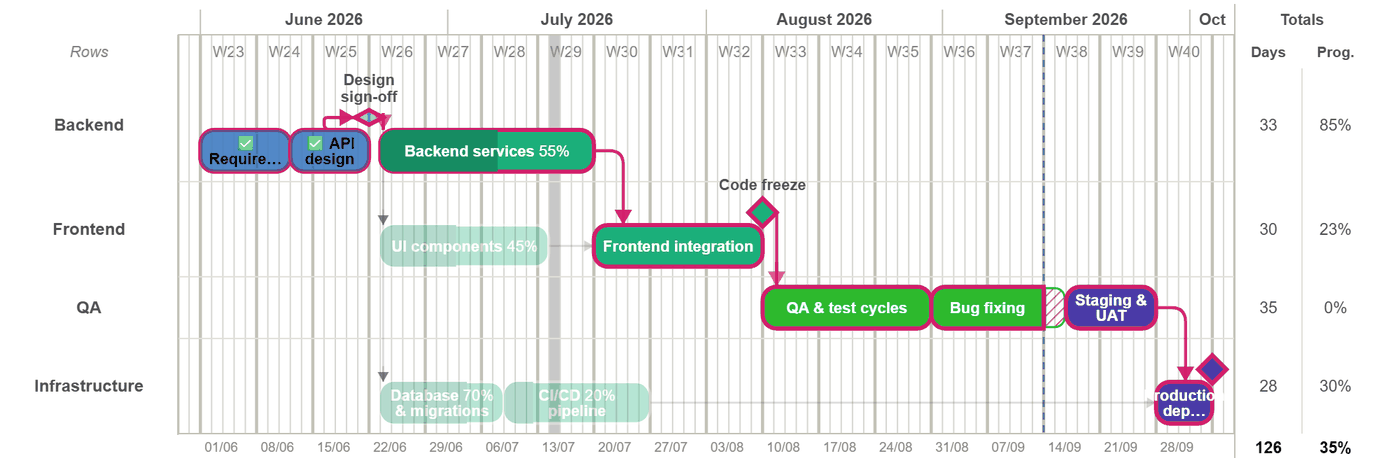
Critical path in the toolbar highlights the chain with no slack. What is usually more useful is what it leaves unhighlighted: those tasks have float, so they can absorb a slip without the end date moving. That is where to take time from when someone asks you to pull a date in.
Watch it move
Drag a bar on the path and the finish date moves with it. Drag one off the path and, up to its float, nothing downstream changes at all — which is the fastest way to show someone why one request is expensive and another is free.
The path is recalculated on every edit, so it is never a stale annotation of a plan that has since changed.
Then check the people
A critical path assumes the work can actually be done when the chart says. The resource chart underneath shows who is booked above 100% and when, which is where an achievable-looking plan usually turns out not to be.